AI Fee Collection Clerk: What Gets Automated and What Stays Human

A school fee reminder automation setup in India works like this. An AI worker sends term-due reminders on WhatsApp and SMS, each with a payment link for that student. It matches incoming UPI and card payments to the right student ledger, issues the receipt, and builds the overdue list every week. It does not decide on fee concessions, instalment exceptions, late-fee waivers or disputes. Those go to the school office. A person also checks the bank settlement against the ledger before each quarter closes. Most of the routine clerk work moves to the system, and the judgement and sign-off stay with staff.
In short
- An AI worker can send fee reminders, match UPI and card payments to ledgers, issue receipts and build the weekly overdue list.
- Concessions, instalment exceptions, late-fee waivers, disputes and the quarter-close bank check stay with a person.
- The switch works best over four to six weeks, with the clerk reviewing every message and exception at first.
- Clean student and fee master data matters more than the tool, because automation repeats whatever the register says.
- Child data and parental consent rules under the DPDP Rules, 2025 should be mapped with the school's lawyer before messages go out.
What a fee collection clerk actually does all day
Ask a school office what the fee clerk does and the answer is usually a list of small jobs that never stop. Most of them repeat every term. The clerk rarely has one big task. The work runs in short bursts across the day, and the same few steps come back again and again.
In a typical private school, college or coaching centre in India, the recurring tasks look like this:
- Sending term-due and monthly fee reminders to parents, often by WhatsApp, sometimes by SMS, and often one by one when the automatic tools are not set up.
- Answering parent calls and WhatsApp messages about how much is due, what the fee head is, and whether a sibling discount has been applied.
- Recording cash, cheque and UPI payments against each student, usually in the school's ERP, a fee module or an Excel register.
- Checking UPI and bank credits against the names and amounts in the fee register, because the bank narration often does not show the student's name.
- Issuing receipts, and reprinting or resending them when a parent loses the first copy.
- Building the weekly list of students who are overdue, sorted by class and section.
- Chasing the overdue list, first with reminders and then with calls, and noting each promise to pay.
- Applying fee heads, transport and hostel charges, and instalment schedules when a new term or admission starts.
- Passing the day's collections to the accountant or the chartered accountant, and preparing the daily collection report.
- Recording refunds, transfer certificates and fee adjustments when a student leaves.
Some of these tasks take minutes and some take hours. The reminder and overdue-chasing work is the most repetitive. The reconciliation work is the most error-prone, because a single wrong match can leave a student marked as unpaid for months. The concession and exception work takes the most judgement, and it is also the work parents complain about most.
Which of those tasks an AI worker takes over, and what it needs
An AI worker can take over the repetitive core of the role. It works from rules that the school sets: the fee structure, the due dates, the reminder schedule, the wording of each message, and the list of students who are on a plan or on hold. The rest of this section sets out what it handles and what it needs to connect to.
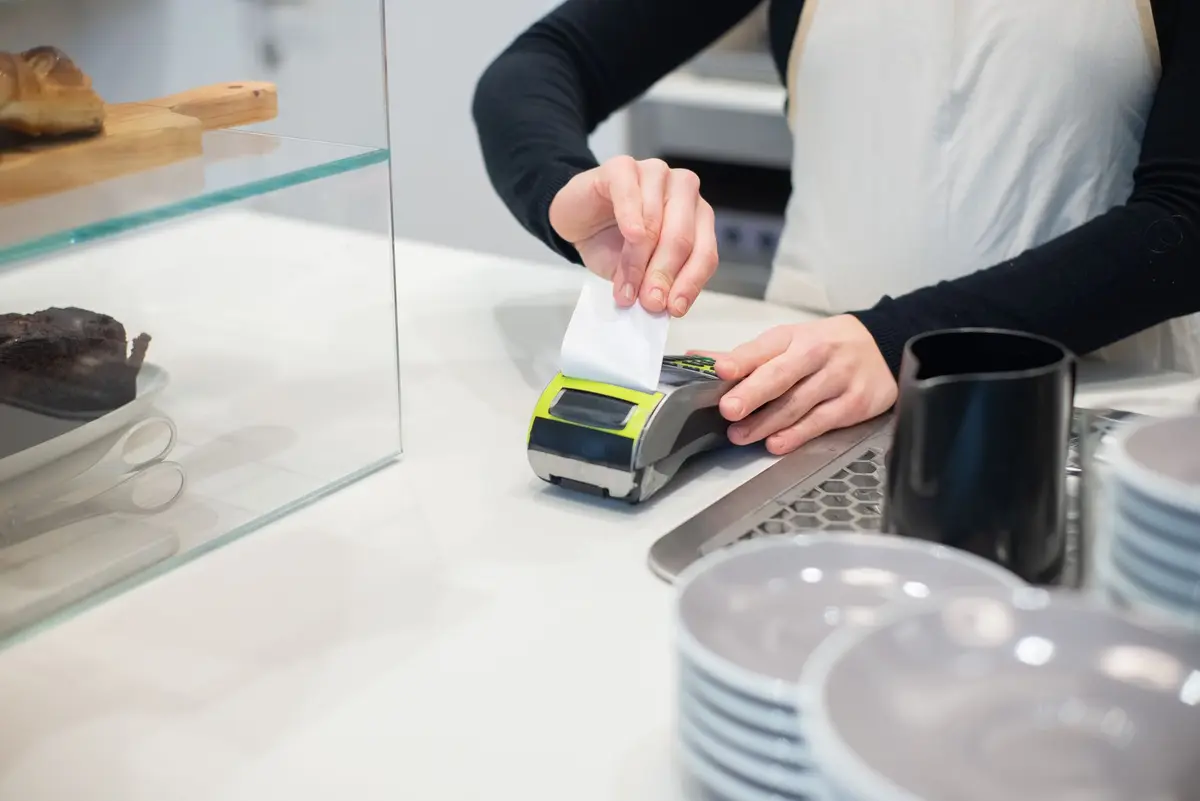
Reminders come first. Once each student's dues are in the fee system, the AI worker sends a message before the due date, on the due date, and again after the due date, using a payment link that shows the exact amount for that student. The school decides the wording and the number of reminders. The worker sends them through WhatsApp Business, which is the usual channel for parents in India, and through SMS as a fallback. The worker needs the parent's mobile number on file, a WhatsApp Business account owned by the school, and a payment link generated by the school's payment gateway.
Payment matching is the second task. When a parent pays by UPI or card through the link, the worker records the payment against the right student and fee head, using the transaction reference rather than the bank narration. It then flags anything it cannot match. For cash, cheque and offline payments, the worker can only record what a staff member enters, so the connection is to the counter register or the cashier's entry screen. The worker needs read access to the payment gateway's transaction report and write access to the fee ledger.
Receipts are the third task. Once a payment is matched, the worker generates the receipt from the fee system's template and sends it to the parent's WhatsApp number or email. The receipt format must match the school's own rules. If the school is registered for GST on any service, the accountant decides the receipt content, not the worker.
The overdue list is the fourth task. Each week the worker produces a list of unpaid fees, grouped by class, section and fee head, with the number of days overdue and the last reminder sent. It can also post that list to the office's shared sheet or to a dashboard the principal reads. The worker needs the fee ledger and the reminder log.
The fifth task is the handover to the accountant. The worker can push the day's reconciled entries into Tally Prime, the accounting software many Indian schools and colleges use, so the accountant does not retype vouchers. It needs the Tally company file, the export format agreed with the accountant, and a rule for what goes into a suspense list rather than the ledger.
Four connections cover most of this work: the school's ERP or fee module, the payment gateway, the WhatsApp Business account and the accounting software. A shared spreadsheet is often the fifth, used as the place where the overdue list and exception list sit. An AI worker does not need a parent portal or a new app for parents to use, although the school may choose one.
What stays with a person, and why
The office keeps the decisions that depend on a relationship, a rule the school has set for one family, or a judgement about the student's position. The AI worker does not make these decisions, and the setup should make sure it cannot quietly make them.
Fee concessions and scholarships stay with the principal, the trust or the fee committee. A concession can depend on a family's circumstances, a sibling in the school, a staff child or a government scheme, and the school has to record who approved it. An AI worker can apply a concession that has already been approved and entered. It should not decide whether a family qualifies.
Instalment exceptions stay with the office. When a parent asks to pay in three parts instead of one, the office decides whether to allow it, for how long, and whether a late fee applies. The worker can then run the agreed schedule and send reminders for each instalment.
Late-fee waivers stay with the person who signs off on fees. The worker can calculate a late fee from the rule in the system, but a waiver is a decision, and it should be logged with a name and a reason.
Disputes stay with a person. A parent who says they paid, a payment that landed under the wrong student, or a refund request all need someone to look at the bank statement, the receipt and the school's own notes. The worker can list the disputed item and hold the reminders for that student. It should not reply to the parent with a judgement about who is right.
The quarter-close check stays with a person. Before the school closes its books for the quarter, someone should compare the bank settlement report from the payment gateway, and the bank statement itself, against the ledger totals. The worker can prepare that comparison. A person still reads the differences, decides what is a timing difference and what is an error, and signs the close. That is where the accountant's judgement matters most, and it is also where a mistake is most costly to fix later.
Anything touching a child's personal data also needs a person. The Digital Personal Data Protection Act, 2023 and the DPDP Rules, 2025 notified by the Ministry of Electronics and Information Technology in November 2025 require a clear notice for personal data and verifiable parental consent before processing a child's personal data. The rules allow limited exemptions for certain essential purposes, and education is one of them, according to the Press Information Bureau's note on the rules. The school should read the official text and decide, with its legal adviser, which of its messages rely on consent and which on an exemption. The office, not the worker, makes that decision.
One limit applies to the whole role. The AI worker can only act on the data it is given. If the fee register is wrong, the reminders will be wrong too, and the system will send them quickly. Someone has to own the master data: student records, fee heads and the list of who is on a plan.
How this role differs by business type
The core task is the same across sectors: reminders, matching, receipts and the overdue list. The details change a lot. Schools, coaching centres and colleges differ in how often fees are due, how many fee heads apply, how much cash still changes hands, and who approves exceptions.
| Business type | What the fee collection clerk does there that is specific | What the AI worker handles there |
|---|---|---|
| Private K-12 day school | Handles term fees, transport and activity charges, sibling discounts, and parents who pay in cash at the counter in the first weeks of the term. Often works from a CBSE or state board-linked student register. | Term-due reminders with payment links, matching of UPI and card payments to each student, receipts, the weekly overdue list, and the daily collection summary for the accountant. |
| Coaching institute or tuition academy | Handles monthly batch fees, admission-date proration, and students who move between batches. Often keeps fees in a spreadsheet rather than a full ERP. | Monthly reminders by WhatsApp, UPI matching to the batch and student, receipts, and a list of students with a balance from earlier months. |
| Nursery and preschool chain | Handles admission fees, a deposit that is refunded at the end of the year, and multi-branch collections that need to be kept separate. | Branch-wise reminders and receipts, matching across branches, and a deposit tracker that flags refunds due for a person to approve. |
| Private university or college | Handles semester fees, hostel and lab charges, instalment plans, and scholarship disbursements that arrive from outside the college. | Semester reminders, matching of payments and scholarship credits to the right student, receipts, and an overdue list by programme and year. |
| International school | Handles fees in more than one currency, parents abroad who pay by bank transfer, and a fee schedule that is set by the school's head office. | Reminders and payment links for domestic parents, matching of UPI and card payments, and flags for foreign transfers that need manual matching. |
| Multi-campus school trust | Handles several campuses with different fee structures, a central accounts team, and a trust that signs off concessions across campuses. | Campus-level reminders and receipts, consolidated overdue lists for the trust, and daily feeds into the accounting system for each campus. |
The table shows a pattern. The more campuses, fee heads and payment channels a business has, the more the matching and the overdue list take up the clerk's week. The more the business depends on individual exceptions, the less an AI worker can take off the clerk's plate. A coaching centre with one owner and two clerks may find the reminder work is the whole job. A trust with five campuses will find most of the time goes to exceptions and the quarter-close review.
How the switch happens, week by week
The switch should run for four to six weeks, with the clerk in place throughout. The aim is to move the routine steps one at a time and to check each step before the next one starts. The timing below assumes a school that is about to start a new term. If the switch lands in the middle of a term, the first reminder cycle should wait until the next due date.
Week 1: map the fee structure and the data
Before any message goes out, the office confirms the fee heads, due dates, concession list and the list of students on instalments. The clerk and the principal check the list together. The AI worker is connected to a copy of the data first, so nothing reaches a parent. The clerk notes every case that the rules do not cover, such as a student who pays two fee heads in a different way.
Week 2: connect the payment and the messaging channels
The school connects its payment gateway, its WhatsApp Business account and its accounting software. Test payments are made to the school's own account. The clerk checks that a test payment lands against the right test student, that the receipt arrives, and that Tally Prime receives the entry in the agreed format. Parents are told, in plain language, that the fee reminders will now come with a payment link.
Week 3: run the first reminder cycle with the clerk reviewing every message
The AI worker sends the pre-due reminders, but the clerk reads the outgoing list each day before it goes. Any message to a student on a concession, an instalment plan or a dispute is held back. The clerk also checks the first ten or so payment matches by hand, against the bank statement.
Week 4: route exceptions to the office
From this week, unmatched payments, partial payments, disputed items and any request to change an amount go into an exception list. The principal or fee head approves or rejects each item. The worker does not reply to any parent on an exception. The clerk spends the first part of the day on the exception list, which is the part of the job that still needs a person.
Weeks 5 and 6: move the overdue list and the daily summary
The weekly overdue list and the daily summary are produced by the worker and checked by the clerk. The clerk compares the first two overdue lists with the ledger by hand and records any difference. Once the lists agree on most items, the clerk's time moves to exceptions and to parent calls about disputes.
After the first term: the role shrinks to review
By the end of the first term, the routine reminders, matching, receipts and lists should run without daily checking. The clerk reviews the exception list, the disputed items and the quarter-close comparison. The role does not disappear, but its hours change, and the school should plan that with the employee. If fewer clerk hours are needed, the change should be agreed with the employee. The notice, consultation and any payment rules that apply where the school operates should be checked with a lawyer before anything is changed.
Risks, and when not to automate this role
Automation can make a fee office faster and more consistent. It can also make the same mistake many times in one afternoon. The risks below are the ones that matter most for an Indian school, college or coaching centre.
The first risk is bad master data. If a student is in the wrong section, has the wrong parent mobile number, or is still listed with a fee head from last year, the reminder goes to the wrong person or for the wrong amount. A clean student register should come before any messaging starts.
The second risk is wrong matching. A UPI payment from a parent's relative, a payment in a sibling's name, or a bulk payment for several children can match to the wrong student. The worker should send these to the exception list, not guess.
The third risk is consent and child data. Reminders are about children's fees, so the message content touches personal data of minors. The school should map which messages rely on parental consent and which rely on an exemption in the DPDP Rules, and it should check that mapping against the official text. The DPDP Act and Rules phase in over about 18 months from their November 2025 notification, so the school's obligations will build up over that period.
The fourth risk is the cash-heavy school. In a school where most fees are still paid at the counter, the automation covers a smaller share of the work. The clerk still does the counter entries, and the saving in time is smaller. The school should count its UPI and card share before it commits to the switch.
The fifth risk is the parent who does not use WhatsApp or a smartphone. A reminder that never reaches the parent leaves the overdue list looking healthy when it is not. The office should keep a phone or letter route for those families.
When not to automate this role:
Do not automate the role if the school has very few students and the clerk's reminder work takes an hour a week. The set-up cost and the time spent checking the system would outweigh the gain.
Do not automate the role if the fee register is not kept up to date. The worker will send accurate-looking reminders based on wrong data.
Do not automate the decision-making parts of the role. Concessions, waivers and disputes should stay with the office, and any setup that lets the worker approve them should be rejected.
Do not switch in the middle of a term with a large batch of disputes still open. Clear the backlog first, then move the routine steps.
The results from this kind of setup depend on the school's own figures, such as how many parents pay by UPI, how many fee heads it runs, and how clean its register is. The free automation audit measures those figures before any change is made. The Digital Personal Data Protection Rules, 2025 and the parental consent requirement described above are the sort of legal point that a school should check against the official text, with its own lawyer.
This explains the rule in general terms; it is not legal or tax advice for your case.
Sources
- 10 School Fee Reminder WhatsApp Message Formats — Free Templates (2026)
- School Fee Collection Software India — Complete Guide 2026
- School Fee Collection via WhatsApp: Complete 2026 Guide
- School Fee Collection Guide 2026: Cash to UPI in 30 Days
- How to Ask for Tuition Fees Politely: 25+ WhatsApp Reminder Templates (Hindi & English) [2026] — FeeAlert
How AiStaffo would automate this
AiStaffo would start by connecting the school's fee ledger, payment gateway, WhatsApp Business account and accounting file, using a copy of the data first. The AI worker would then send term-due reminders with a payment link for each student, match UPI and card payments to the ledger, issue receipts, and produce the weekly overdue list. Exceptions, disputes and any change to a fee would be routed to the fee office, and the office would still approve concessions and waivers. Before each quarter closes, a person would compare the bank settlement with the ledger, using the comparison the worker prepares. Book a free automation audit.
Questions people ask
Can an AI worker send school fee reminders on WhatsApp in India?
Does automation replace the fee collection clerk?
How does UPI payment matching work with the school ledger?
Can the payment data go into Tally Prime automatically?
Do parents need consent before a school sends fee reminders?
What should a school do before switching to automated fee reminders?
Book a free automation audit
Thirty minutes. We look at one process you run every week and tell you exactly what an AI worker would take off your desk, and what it would not.